Top

Samsung LE40A656A Review

By Vincent Teoh • Thursday, 5 June 2008, 3:45 pm GMT  

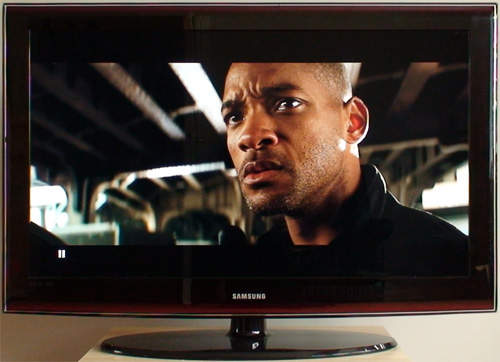
Samsung LE40A656A

We have completed a review of the Samsung LE40A656 (updated to firmware T-PRLPEUMD-1007.2, the latest version at this time of writing) LCD HDTV. It does quite a few things (blacks, SD video processing, flesh tones, 100Hz implementation) better than last year’s models, and its picture quality is right up there with the best Sony Bravias.

Some of you may have noticed the addition of a “Power Consumption” table under the “Benchmark Tests” section of the Samsung LE40A656A review article, which is the result of persistent lobbying from a few cost- and environmentally conscious readers. :) To standardise the measurements, here is our methodology:

  1. The test scene used will be the Madagascar chase sequence (Chapter 2) in Casino Royale Blu-ray played back through a Sony PS3, which is plenty bright and involves lots of motion.
  2. Although audio volume seems to have little to no effect on the final measured power consumption from preliminary testing, to avoid introducing confounding factors the television volume shall be turned down to “0“, but not muted.
  3. First the power consumption of the HDTV will be measured in the default out-of-the-box picture settings (usually Dynamic mode).
  4. Then we measure it after full calibration.
  5. Last but not least, we measure it in standby mode.

Please let us know if you have any other suggestions. Power consumption will be measured on all the HDTVs we review in the future.

Warmest regards
Vincent

154 Comments So Far... Add Yours

  1. Jay on 5 June 2008 4:02 pm

    Hi Vincent,

    Thanks a lot for the detailed review. It’s much appreciated!

    I have only one question - and it’s a short one.

    If you had £1000, what would you personally buy? A Sony W4000, or the Samsung 6 Series and pocket the £160 or so difference?

  2. maarten on 5 June 2008 5:14 pm

    thanks for this review , only one thing
    calibration settings are coming soon?

  3. Anders on 5 June 2008 6:17 pm

    Thanks for this updated review - it just made my decision buying this TV so much easier! Recently I’ve been torn between going out getting the Panasonic TH42PZ85 and this.. No need for that anymore I believe..

  4. Jake on 5 June 2008 6:58 pm

    Great review as always. I have to second Jay’s question: if you had to buy one which would it be? The A656 or the W4000?

    Other question is whether I can hold on long enough to see what the Philips 9600 series and the forthcoming Pioneer LCD’s are like. Interesting times ahead…

  5. Jack on 5 June 2008 7:10 pm

    @Vincent

    In which way is Sonys 100Hz Technology better than Samsungs?
    Doesn’t it make film look like video at minimum settings?
    Would you activate it when watching 24p Material?

    Some people maintain things like that,but i need to know it or sure,very important criteria.Better no 100HZ,than one,you have to deactivate when watching films

  6. fonsocm on 5 June 2008 7:27 pm

    Thanks for other great review.

    I have one dude about this tv, I saw I am Legend BlueRay in Sony W4000, in the scene Will Smith drives the car in a long traveling lowly in the desert street, just before go into the shop with then mannequins. I perceive like the image slower for moments like if you activate the slow motion. I am spanish, I don’t know if I said correctly. Do you perceive a similar effect in the Samsung without 100Hz activate? I don’t perceive this effect in plasma and I don’t like 100Hz. I suppose because the reproduction of 24p in plasma, usually is in 72 or 96 and I hear the rumour, usually LCD use 48.

    I am thinking in buy a tv. I am going to see the tv from 1.7-2 meters, I love kuros but in this distance, I am not sure it will be the best purchase. I like many less Panasonic PZ85, the colours like very bright and I don’t like the problems with deinterlacing film and it can’t store individual settings. I saw the Samsung, it likes me less than plasmas but it is enough good. Among those three models, with this distance (1.7-2m), what would it be your purchase? Money is not a factor.

    You can publish all the settings you make, please, it will be wonderful.

    Thanks again for your great job.

  7. Sam on 5 June 2008 7:47 pm

    Hi, thanks for the fine review. The power consumption measurement is a welcomed addition :) I’m still wondering about the input lag lag numbers since you always rate them relative to the F96. How much lag does the F96 actually have? I suppose it’s a non-trivial amount since the PZ85 review says it lags 30ms less than the F96. I tried to look it up in your F96 review but didn’t find anything.

    How do you test the amount of input lag? Would it be possible to report absolute values? They would be more informative. :)

  8. Pete on 5 June 2008 8:47 pm

    Thanks for the power consumption measurement !!

    We and the planet loves you! :)

  9. kompol on 5 June 2008 8:50 pm

    Hi Vincent,

    Thanks for the review, I just purchased LE46A656 (but need to wait 10 days!) after reading this.

    Please if you can share your settings :)

  10. Jim on 5 June 2008 9:59 pm

    Great review Vincent (as always!)

    I’ve been looking at the 37″ A656 and was wondering if you know of any noticeable difference between the 40″ and 37″ panels?

  11. Matt Douse on 6 June 2008 8:02 am

    I own the 40″ a656

    Did some tests on the “calibrate lag” function on guitar hero 3 on Xbox 360 running through component.

    Before the firmware update I ran this to test and was getting…
    I ran the test a few times on each to get an average as the result are slightly different each time.

    GAME MODE OFF* / 100hz disabled 66ms / 56ms
    GAME MODE ON: 30ms / 33ms

    With new firmware I tested again last night and got…

    GAME MODE OFF* / 100hz disabled 27ms / 33ms
    GAME MODE ON: 17ms / 2ms

    *This was in STANDARD Mode
    Backlight 6
    Contrast 90
    Brightness 40
    Sharpness 35
    Colour 50

    Seems for me the update improved it. So question is? why? can it be improved further in the future? I think 3ms is barely noticeable anyway… Played Halo online last night and couldn’t notice a difference in game play from my CRT other than a superb picture.

  12. Mike Younes on 6 June 2008 8:59 am

    Hello Vincent
    i’ve just spent all morning reading various reviews on this website and i have to say i’m well impressed with the level of detail and effort that seems to go in to each of these tests.
    Anyway i just wanted to know what settings would be best for the A656 and A556 panels in a store environment. (SD & HD)

    Many Thanks.

  13. Jin on 6 June 2008 2:55 pm

    Dear Vincent,

    This is by far the best review i’ve read on the internet. Keep up the good work. I have a question though.
    In the review you address the out-of-focus problem and you gave a link to download the new firmware. The link is however for the LE40A656A1FXXU, I myself own the LE40A656A1FXXC (since I am from the Netherlands). My question is can I also install the firmware from the website? If not where can I find the right firmware update for my set? This is because I cannot find any firmware updates for my tv-set.

    Thank you in advance.

  14. K on 6 June 2008 3:51 pm

    Thanks For another great review

  15. Laurent on 6 June 2008 5:34 pm

    Dear Vincent

    Please note that the Service Menu offers some additional clibration options for the white balance. I read in yoru sneak preview that color saturation was an issue. Changing offsets and gains in the service menu can probably help reduce this issue.

    I have tested this possibility personally and those changes are safe to make:
    WDAdjust > White Balance

    Some LCD’s in the 6 Series (mainyl 46 inch models) show a kind of purple haze. The concerned panels have been proved to have the wrong white balnce settings in the service menu.

    The settings that can be found on a health panel are as follows:
    Sub offset: 128
    Red Offset 119
    Green Offset 128
    Blue Offset 133

    Sub Contrast: 140
    Red Gain 154
    Green Gain 128
    Blue Gain 180

    Those may vary slightly depending on the firmware version.

    Hopefully you can play around a bit and come up with improved calibration settings.

    I myself will conduct such a calibration in a few weeks time when I have received my LCD. I have just ordered the DTP-95 colorimeter.

  16. Laurent on 6 June 2008 5:50 pm

    Sorry for the typos in my previous post.

    I think we should mention the fact the Samsung’s design is very appealing indeed compared to the Sony’s (although there will always be people who prefer the Sony design, this is what can be read in most forums).

    I personally dislike the Sony’s anti-glare panel. It does reflect, but the reflections are uglier! If I have to accept some level of reflection, then I much prefer clean-cut reflections. This is like comparing reflections on still swimming-pool water with those on agitated oceans. I choose the pristine reflection on still water any day.

  17. Mike P on 6 June 2008 7:23 pm

    All other review websites that have reviewed the TV mention that the LE40A656A not only has a 100hz scan mode but also a 120hz scan mode… But unless i missed that particular bit of your review i find no mention of it here… Are the other sites making this seemingly important fact up? Regards, Mike P

  18. mjm on 6 June 2008 9:13 pm

    recently purchased this tv. only 3 hdmi. 2 on back and one on side. samsung agreed for a replacement. 100 hz was in tv menu though. those who buy make sure u hall 4 hdmis. otherwise its a brilliant set both sd and hd.

  19. Vincent on 7 June 2008 1:17 am

    @Jay: That’s a tough question that only you can answer yourself. Sony W4000 has better colour balance and HDMI gaming response; Samsung A656 has better SD processing and connectivity.

    @maarten: Yes.

    @Jake: Please see my reply to Jay.

    @Jack: Sony’s Motionflow 100Hz looks slightly more natural, and exhibits slightly less artefacts that Samsung’s 100Hz Motion Plus, assuming both are on the low settings.

    Personally I wouldn’t engage 100Hz motion for movies because of the video effect, but that’s just me.

    @fonsocm: I did not see the effect you’re describing.

    For close distance viewing, Kuro will exhibit visible PWM noise; PZ85 will have more deinterlacing artefacts due to poorer video processing; so I would say Samsung A656 is probably the best choice.

    @Sam: Our input lag methodology is described at http://www.hdtvtest.co.uk/news/philips-37pfl9632-review-2008012699.htm

    Unfortunately I don’t own a CRT that accepts HDMI so I can’t report absolute values, so we have to use a Samsung F96 as a frame of reference. From memory though we worked out that a Samsung F96 in [Game Mode] has about 30ms input lag relative to a CRT.

    @kompol: will do… at some point. :)

    @Jim: Sorry I can’t comment as I haven’t seen the LE37A656 personally, but it won’t feature an Ultra Clear Panel.

    @Matt Douse: Thanks for your input.

    @Mike Younes: I’m afraid our calibrated settings won’t fare well in a bright store environment.

    @Jin: The best thing to do is to contact your local Samsung support centre and see if they’re willing to release a firmware or send an engineer out to do it for you. But if you’re not suffering from the focus-defocus artefact, there’s probably less reason to update the firmware.

    @Laurent: Thanks for your input. Offsets and gains generally affects colour temperature (RGB balance) rather than colour saturation.

    @Mike P: Our reviews are based on real-life tests rather than manufacturers’ press releases. Could you give us some examples of the reviews?

  20. Jack on 7 June 2008 9:33 am

    @Vincent

    Thanks for answering.

    Did you disable the Filmmode,when testing Sonys Motionflow.I Heard,24p doesn’t look like Video,if you turn Motion Enhancer to Minimum and Filmmode Off.

    If it still creates that horrible soap look,i Definately don’t need it

  21. Laurent on 7 June 2008 10:31 am

    Thanaks Vincent
    Intuitively I would have thought that RGB balance was the reason why you had to make compromises in terms of color saturation, that’s why I thought white balance could help.

    There are other items under WBAdjust in the service menu though, such as “Calibration”.

    I understand your reluctance to go into the service menu after what happened with the Sony W4000, however I think all items under WB adjust are pretty safe (the more dangerous ones seem to be under advanced menu).

    You mention the Sony as having better color balance, but before you actually play with the WB Adjust items this statement loses some of its weight.

    Out of interest, what are the Service Menu White Balance settings on your tested unit. If you post your overall settings it would make sense to include this information since those seem to vary even within the same software version!

  22. Laurent on 7 June 2008 10:33 am

    Also

    I remember the gamma cruve being a problem with all previous Samsungs. I don’t remember seeing comments about this in your review. What is the current situation?

  23. Laurent on 7 June 2008 10:42 am

    This is what you wrote
    “Even with the luxury of a colour management system (albeit not full-fledged), some compromise in red and green saturation was necessary in order to maintain accurate hues and colour decoding on the Samsung LE40A656.”

    This is why I assumed your issues could be solved with better White Balance, as it could allow to maintain accurate hues and color decoding without compromises in terms of color saturation.

    But I must admit I have only started 1 week ago with Color HCFR, and without the colorimeter I haven’t been able to get a feeling of all the possible interactions between the various color management items.

  24. Karim on 7 June 2008 1:20 pm

    @Vincent,
    Thanks Vincent for your great review.
    Speaking Standard Definition image quality, how do you rank the SamsungLE40A656 compared to the LG 42PG6000 and the Panasonic 42PX80.
    Many Thanks.

  25. mlaun on 7 June 2008 1:25 pm

    hi Vincent,

    tahanks for the review.

    Question: i’m missing the gamma diasgramms. Any reason behind that?

    Wish: would it be possible to publich your ‘.chc’ files for ust to look at?? Would be great.

    thanx

  26. Chris on 7 June 2008 6:05 pm

    Thanks for the review Vincent, my query relates to whether you would consider this the best 40″ in the ~£800-900 bracket - another strong contender seems to be the toshiba 40xf355d; have you seen this/have any preference between the two?

  27. fonsocm on 8 June 2008 1:33 am

    Many thanks for your answers.

    The “defect” I think perceived, in W4000 was like a lack of fluidity, like the movement was not natural.

    One question more (if not abused), probably a silly question, I will use this tv with HTPC to play blueray. I looked the manual and I saw the tv by hdmi only accept 1920×1080p/60, if use a pc, do I have problems with 24p? What’s the frecuency to select in the PC for a good vision of blueray in this tv?

    Thanks, again.

    PD: What it is PWM noise? It’s curiosity.

  28. Michael Stewart on 8 June 2008 1:00 pm

    Well done on an informative review.

    I have just taken delivery of one these sets, and it is pretty good.

    One thing that has caught me by surprise however is the function of the Optical Audio Out plug.

    When you use any of the HDMI plugs, the Optical Audio Out only transmits a two channel stereo signal rather than 5.1.

    For me this is a real pain, as I was hoping to use the Optical Audio Out from the TV to my (rather old) surround sound amp.

    I wonder if this a common issue with all Samsungs or just this model?

    I would have looked elsewhere if I had known about it, as resolving the issue may entail replacing my DVD player/Amp.

    Thanks

  29. Laurent on 8 June 2008 11:35 pm

    Dear Vincent

    Here are the White Balance Settings that have been found on linked to the verious Software versions:
    46A-656 1004.0
    Sub Bright 128
    R Offset 128
    G Offset 128
    B Offset 135

    Sub Contrast 145
    R Gain 131
    G Gain 128
    B Gain 137

    46A-656 1006.2
    Sub Bright 128
    R Offset 128
    G Offset 128
    B Offset 135

    Sub Contrast 145
    R Gain 131
    G Gain 128
    B Gain 137

    46-A659, 1006.3
    Sub Bright 128
    R Offset 128
    G Offset 128
    B Offset 128

    Sub Contrast 140
    R Gain 121
    G Gain 128
    B Gain 111

    46-A659, 1007.2 (update)
    Sub Bright 128
    Red Offset 128
    Green Offset 128
    Blue Offset 128

    Sub Contrast 140
    Red Gain 125
    Green Gain 128
    Blue Gain 136

    40-A656, 1007.2 (update)

    Sub offset: 128
    Red Offset 131
    Green Offset 128
    Blue Offset 128

    Sub Contrast: 145
    Red Gain 125
    Green Gain 128
    Blue Gain 142

    NOTE: The A659 model is a Germany only model with 1:60,000 contrast instead of 1:50,000, hence the lower Sub Contrast figure in the service menu!

  30. Yappa on 9 June 2008 1:07 am

    You know, I was thinking about sending back my F86 to buy the 656 instead, but I got the following results after using calibrate lag” function on guitar hero 3 (the same settings as Matt Douse):

    0ms
    0ms (22 ms once)

    So I am either doing something wrong or the F86 has less input lag than the new 656?

  31. Matt Douse on 9 June 2008 8:25 am

    I have ran the guitar hero test quite a few times now on the 40″ a656 over component and get.

    0ms with game mode on
    and 33ms with it off.

    So i guess if you want it the same as the f86 then you have to game mode enabled. Is there a chance that a future firmware update will improve the input lag or allow you to adjust the sharpness in game mode?

  32. Stephen Nevison on 9 June 2008 1:47 pm

    Thanks Vincent,

    just to echo the rest of the comments any chance of your calibrated settings?

    Cheers

  33. Ido on 9 June 2008 9:10 pm

    Hello Vincent!
    Just wanted to thank you for the review and whole web site as well. I guess one man can make a difference. keep up the good work.
    A question to you: do you think that there will be a major differences between this model in 40′ and the same one in BIGGER sizes (i.e. 46′ and 52′)?
    with appreciation,
    Ido.

  34. Charlie on 10 June 2008 12:25 am

    HI Vincent
    What a great time I have had reading your reviews I have been looking for reviews like this to compare different HDTV and think I have found the tv I want the Samsung LE40A656 only one question should i go to my local tv dealer or buy on internet were it is cheaper

  35. Steve on 10 June 2008 6:47 am

    Hi Vincent

    Yet another impressive review. I bought the LE40A656 a couple of weeks ago and am very impressed so far.

    Thanks for doing the power consumption test, could you publish the settings used to obtain 99W power consumption please?

    Also settings for SD & HD TV would be very useful please.

  36. Yannis on 10 June 2008 10:12 am

    Many thanks for your very infomative review Vincent.

    I bought the 40A656 just a couple of days before your review and I’m in the process of fine tuning the set. Hence any settings you could suggest (ps3 gaming and blue-ray, dvd, or analogue tv) would be highly appreciated.

  37. Paul on 10 June 2008 1:28 pm

    Once again brilliant review Vincent - keep up the good work
    no if we could have some calibration settings…..haha

  38. Steve on 11 June 2008 6:37 pm

    Does anybody know if the front panel ‘hidden’ buttons are supposed to light up when you press the panel as with previous Samsung models please?

    Otherwise they are of little use in low light situations.

  39. Edgar on 11 June 2008 9:55 pm

    No Steve, the front panel ‘hidden’ buttons don’t have backlight.

  40. Vincent on 12 June 2008 1:59 am

    Post-calibration settings are now up:

    http://www.hdtvtest.co.uk/Samsung-LE40A656/Settings.htm

    Warmest regards
    Vincent

  41. Calvin on 12 June 2008 10:56 am

    Hello Everybody,

    I still haven’t information about this - how to enter service menu mode (and how to exit from this menu).

    Calvin

  42. John on 12 June 2008 12:12 pm

    Vincent; many, many thanks for those settings. The SD settings, particularly the custom changes to the colour space, are stunning.

    Being a bit of a techno-Luddite, could you explain why there is such a big difference in the colour space settings for between HD and SD? There appears to be a slight yellow bias evident in the HD settings when viewed on SD DVD; I haven’t got a BD player, but I can’t see any detremental effect using the SD settings on a HD cable channel.

  43. Laurent on 12 June 2008 1:23 pm

    @ Vincent

    I have spent sometime calibrating monitors: my 3 laptops, as well as 2 Monitors at work. It is fun!

    The Dell monitors we are using at work are brilliant! 0,24 Black Level, Contrast of 1:1100, very accurate pre-calibration colors. Color temperature was slightly too high due to green dominance (67,000) but the loss in luminance and contrast was not worth for work purposes.

    Now I understand wha you were saying about color space not being influenced by color offsets and gains.

    This is the frustrating part of using Laptop panels and PC monitors: not having color management/saturation settings.

    I will be able to test my A659 on Saturday and it will be interesting to compare my results with yours, especially regarding color space and contrast (since the German version of the A656 is supposed to have a higher dynamic contrast of 1:60,000).

  44. Dimitris on 12 June 2008 3:04 pm

    Vincent thanks for the settings. Could you give us details about the HD source and it’s settings you used to calibrate the set ? Was it a PS3 with RGB range set to Full (judging by the fact that in your settings you have HDMI black level set to normal)? Because in that case you have major clipping there dude.

  45. Risky on 12 June 2008 8:03 pm

    @Mike P: 120Hz scan is the US equivalent to the UK 100Hz. It’s the same thing, i.e. UK model is 100Hz, US model is 120Hz.

  46. Peter Langley on 12 June 2008 9:41 pm

    Why are there still letterbox black panels to the top and bottom of the screen when viewing in widescreen?

    I thought the point of having a widescreen aspect ratio was to use the whole screen, can someone confirm if widescreen movies actually use the full screen, or do they still have letterboc design with black panels?

  47. Michael Stewart on 13 June 2008 9:21 am

    Thanks for the calibration settings, they have made a big improvement to my picture.

    One other thing that improves the picture (and not in your list of settings) is the xvYCC setting.

    I have read that this setting should only work with an xvYCC source, but it seems to have some effect on my A656, with a hdmi feed from a Samsung F1080 DVD playing standard (upscaled) DVDs.

    Has anyone tried this setting with their A656?

  48. Steve on 13 June 2008 11:52 am

    Thanks very much for the calibration settings Vincent.

    The picture on Analogue TV & Freeview looks great with the SD settings on the 40″ set.

  49. Patrick Costello on 13 June 2008 10:40 pm

    Hi All

    Does this Samsung (LE40A656A) beat the TH42PZ85B still have to make up my mind.

    Any other TVs you would recommend in that price range

    Thx

    Patrick

  50. puremind on 13 June 2008 11:11 pm

    Hi Vincent

    After conducting a calibration of the A656 myself, I have additional questions to you:
    1- What was the measured post-calibration contrast? How does it compared with the Sony W4000’s
    2- What gamma target did you calibrate around? When aiming for 2.2, I found myself using gamme=-3 under advanced settings
    3- What was the measured white luminance before and after calibration

    During my calibration I found that lowering that using gamme=-3 improved the RGB deltas below 30% IRE. My RGB Dela @ 10 IRE was better than on your curve, and also I didn’t notice the dip in blue dominance @ 100 IRE.

    I am very interested in your gamma and black/White luminance results.

    Please let me know.

  51. Rik on 14 June 2008 5:16 pm

    Nice review
    I own this tv now and im verry happy with it.

    Only where can you download firmware updates for the a656 tv, i cant find them on the samsung site…

  52. Michael Stewart on 15 June 2008 9:44 am

    To Rik,
    Copy this
    link:

    Get yourself a USB pen and follow the instructions.

  53. Michael Stewart on 15 June 2008 9:55 am

    To Rik,
    Sorry my last post should have read
    Follow this
    link:

    Get yourself a USB pen and follow the instructions.

  54. Mike P on 15 June 2008 8:32 pm

    2 websites mention the “120hz scan mode” here is a link to one of them. Regards, Mike Pinder hdtvorg.co.uk/reviews/lcd/samsung_le40a656.htm

  55. puremind on 15 June 2008 11:28 pm

    Hallo Vincent

    I now understand why the gamma curve is not being shown. GMaking it flat and close to the 2,2 standard means you lose that nice black value you measured or you you lose the contrast, escpially if you calibrate around 6500K.

    I personally chose 6300K like the Sony’s native color temperature, and it allowed me to retain most of the contrast (2150:1 instead of 2,700:1 or 3,000:1 with contrast enhancers) without having to use an aggressive gamma curve (I hate to lose shadow details).

    Could you post your post-calibration black value and contrast and give indications on the gamme curve?

    Thanks
    Laurent

  56. puremind on 15 June 2008 11:31 pm

    Also I noticed it is possible to use HDMI Black Level = low. In that case you can use more aggressive contrast and brightness and with gamma correction + some offset/gai changes you can come up with the same result as with HDMI Back Level = normal.

  57. millo on 18 June 2008 2:47 pm

    hello vincent, am torn between the 656 and an extra £400 on the pioneer kuro, what is your opinion, any idea what the samsung is like with football on screen cos i could do with saving some cash but didn’t want to be dissappointed.

    answers much appreciated

  58. iain on 22 June 2008 6:45 pm

    hi, was thinking about getting this in the 37inch version, how much difference would not having the ultra clear panel make? thanks, any help would be great.

  59. Sinq on 23 June 2008 11:46 pm

    Hi,

    Does anyone know what is the difference beetwen LE40A656A1F and LE40A656A1C?

  60. Geforce on 25 June 2008 7:43 am

    Sinq,
    The LE40A656A1C also has an inbuilt DVB-C tuner (for cable tv).

  61. John on 26 June 2008 5:04 pm

    I just bought this tv, but there is a loud noise coming from the power supply, anyone else experienced this?

  62. Geforce on 29 June 2008 10:11 am

    John, I would call the store to swap it with another one.

    Hello Vincent,
    I’m just about sold on the LE46A656A (46″) and will more than likely pick it over the Panasonic 46PZ800.

    Mainly because I’m still concerned with image burn when gaming, or pausing it while gaming, and also because our household has changed the way we use power and lighting to reduce our footprint on this planet.

    Also, Samsung here are giving away a free Blueray player during July with purchases of their new 1080p LCD range of TVs inorder to compete with Sony, who are giving away a PS3 with their 1080P LCD TVs in July .

    If I end up getting one I will send you 10 quid for the Settings for this panel.
    cheers.

  63. dave on 30 June 2008 2:08 pm

    I have just recently had a virgin v+box connected to my samsung le40a656,which of the 2 settings sd or hd would be best suited ?

  64. John on 30 June 2008 7:50 pm

    Set your V+ box to 1080, your Samsung to ‘Just Scan’ and go for the excellent SD settings; they seem to suit the broadcast HD too, but the HD settings have an odd yellow push.

  65. steve on 1 July 2008 10:23 pm

    I am considering the Samsung LE46A656 model and currently have a Panasonic TH42PX700 plasma set which is a one year old model. The Panasonic has been an excellent set and I am wondering if the Samsung is a better overall TV compared to the Panasonic ??

    Also, how can one tell if the A656 models arriving in stores now have the latest firmware updates??

    Many thanks for your time.

  66. Dave on 3 July 2008 12:22 pm

    Hi guys,

    I’ve just taken the plunge into the world of HD so please forgive any naivety.

    I’ve just bought the Samsung, it was this site that helped me make up my mind which model to go for and it’s pretty much blown my socks off in much the same way as my first sight of DVD after years of VHS.

    The only thing I find frustrating is having to skip through the various sources to get where I want to be. For example HDMI 1. I know I can access the input menu via the remote but this is only slightly faster.

    My question is this… Is there any way of removing sources that are not being used from the cycle? For arguments sake, at this stage I’m not likely to be using any of the following sources: Component - PC - AV 1 or 2… So can the TV be programmed to ignore these choices?

    I hope that made sense

    Thanks
    Dave

  67. mmf on 3 July 2008 1:14 pm

    I bought Samsung LE40A656A1FXXU, i stay in Finland, the dealer had booked this from Germany. I could see this focus-defocus artifact ( most of the time ) and while watching football or tennis, i could see ghosting effect meaning that pixels are white. Can you send me the settings for SD transmission for this device model if you have any. HD content is crisp and neat. No complains whatsover with that. Thank you for your time in keeping the reviews more clear and explaining things more clearly.

  68. dajonah on 3 July 2008 9:24 pm

    get one from comet for £733 delivered or collect in store, using voucher “40summer”
    and cashbackkings 3.5% cashback, just ordered mine to collect tomorrow.

  69. Geforce on 4 July 2008 1:53 am

    mmf,
    Did you read at the end of the review for the settings?

  70. mmf on 4 July 2008 9:10 am

    Geforce,

    Yes i have gone through that. I have taken those settings already.

    I would like to know the following:

    LE40A656A1FXXU does this variant model has digital cable tuner i mean
    DVB-T/C?

    Secondly, i sometimes gettings focus-defocus artifact seen in SD transmssion and slightly clouding of pixels around the subject ( not all the time, but sometimes) and which results in “Pixelating problem( Ghosting)” problem. Due you think its a problem in the device or the firamware that has come with my TV.
    Or will that be due to weak signal. I could see this more often when watching games.

    What kind of differences are there between the LE40A656A1F and LE40A656A1C variant models?

    I discussed with the service support, he said he could try with latest firmware availble for the model.

    Thank you,
    mmf

  71. mmf on 4 July 2008 11:54 am

    Hello,

    Is the review presented here in hdtvtest.co.uk based on LE40A656A1FXXU model or any other model, if so what is the exact model variant?

    Thank you

  72. dajonah on 5 July 2008 7:35 pm

    Vincent,
    Thanks for the review, from it i bought this tv but could you tell me which is the better setting? I have virgin V+ service through hdmi and wonder is it better on 720p or 1080i and also my dvd is hdmi, is it better to upscale to 720p, 1080i or keep it at 480p and let the tv do the work?
    Does you HD settings work for the virgin hd box and/or dvd player or are they just for bluray.

    Thank you
    Lee

  73. jlanza on 7 July 2008 10:35 am

    Hi,

    I have one doubt concerning this TV. I’m thing on getting the Sony W4000 as it has an hdtv dvb-t tuner supporting H264 MPEG4. Is the Samsung supporting it as well or it only has SD tuner?

    TA

  74. Davy Cairns on 7 July 2008 1:58 pm

    Vincent,
    Great review,first class info.
    Now,which is best for “blacks”,Panasonic TH37PX80B or Samsung LE40A656A??
    Both are coming down in price,as we speak,the Samsung is beautiful,far superior in real life compared to the net pictures,Panasonic is cheaper and great reputation.I,ve always preferred plasma to LCD,but this Samsung has got me really thinking,my first widescreen TV was Panasonic and the picture quality was awesome,and VERY reliable.
    A “dillemma” for sure.which would you go for ????please help me out here Vincent,my wife says the Samsung is “a beautiful piece of furniture”????
    Davy Cairns.

  75. Darren on 11 July 2008 10:22 am

    Thanks for the great review and the settings were really appreciated. Took delivery at the weekend and the SD looks great and the PS3 is working well. Next Step is to upgrade the sky plus.

  76. Darryl Naidoo on 12 July 2008 4:00 pm

    great review. would you buy the sony w4000 or the samsung a656

  77. Tom on 15 July 2008 4:50 pm

    Hi Vincent,

    Awesome review. Thanks. In the manual for this TV, Samsung states that the Optical Audio Out signal is limited to stereo for HDMI-in input. That is a huge shortcoming. Do you know if that is something that can be fixed with firmware, or is it a permanent defect?

    Thanks,
    Tom

  78. Neil on 17 July 2008 10:59 pm

    Thanks for the great review. I just brought this TV 3 days ago and can’t fault it on anything to be honest. The design is great and I found it so easy to setup, looks amazing on my black glass stand and so glad I brought it. SD via digital is really good and 1080p on the PS3 is out of this world, so smooth with 24fps and 100hz. Also like the numerous picture settings you get like increasing the depth of the blacks and skin tone etc.

    It came down to this or the W4000, my dad brought the W4000 last month and it is a great TV but I must say the Samsung looks more sleek and classy and I have been very happy with the purchase. Had some trouble getting hold of one though as seem to be quite popular, however still managed to haggle to cost down with 5 year warranty.

  79. alex on 18 July 2008 10:58 am

    Forget about Samsung A656. A new model appeared : A659 with improved contrast ratio: 60000:1
    LCD-Samsung-LE-40A659

  80. Neil on 21 July 2008 8:34 pm

    If you check the A659 is only being released for the German market so no choice but to stick with the A656.

  81. Calum Mackay on 23 July 2008 5:22 pm

    thanks for the review Vincent.

    Just ordered mine from Dixons, £760 incl P&P, with a choice of delivery date. 1 year warranty only.

    A fiver on the way to you via PayPal.

    cheers,
    calum.

  82. Darren on 24 July 2008 1:10 pm

    Thanks for the firmware info post it is appreciated, now upgrade to latest version.

  83. Martin on 28 July 2008 8:45 am

    Hi, I´d like to ask you. In the background, there is SERVICE port to connect wall holder to set view angels by remote control. Do you know which model of holder supports this function?
    Thank you.

  84. Torben on 28 July 2008 7:04 pm

    After updating with tha lastest 1011 i mean it is. Its from today, I got problems with my remote. It dosent work in the right way. When i press ttx it opens wizelink…

  85. Paul on 28 July 2008 8:19 pm

    Hi, does anyone know the latest firmware for the Samsung LE40A656A1FXXU and if its any good ? thanks

  86. New 2008 Samsung LE40A656A 1080p 100 Herz LCD - £759 Delivered! | CheapUKBargains - Cheapest Bargains, Deals, Discounts and Voucher Codes! on 28 July 2008 10:36 pm

    [...] Click here to read a great review of this stylish LCD TV on HDtvtest.co.uk. (No Ratings Yet)  Loading … Tags: 100HZ, 1080p, 2008 Samsung, Bargain, Cheap, Cheapest, Price, Review, Samsung LCD, Samsung TV [...]

  87. Glenn on 29 July 2008 9:56 pm

    Just had a Samsung LE40A656 delivered today it looks great and it plays great however I can’t seem to get it to keep the visual settings when I turn the TV off and when i change it to Sky channels, it keeps resetting i’ve looked at the trouble shooting and that tells me nothing. Please help!

  88. Neil on 31 July 2008 1:13 am

    Glenn,

    In answer to your question I think you may have set the TV up in “Shop” mode instead of “Home” mode. Check the manual it should tell you how to reset and this should solve the problem.

  89. Glenn on 2 August 2008 8:04 pm

    Many thanks Neil. After I sent my question, I re-setup the TV and found the fault! Less haste and no problems! As for the TV it’s GREAT!!! I got mine from Dixons, good price and service.

  90. Calum Mackay on 4 August 2008 1:40 pm

    mine is going back today: the side-panel HDMI4 input doesn’t work. New one being delivered when they pickup the old one (I hope).

  91. trent clark on 6 August 2008 2:02 am

    If you had £1000, what would you personally buy? A Sony W4000, or the Samsung 6 Series

  92. mmf on 6 August 2008 11:08 am

    I got today the new set changed from the dealer with the Nordic version and its really pleasant to watch. Every penny is worth putting on this TV. Sony W4000 is also great, but if you happen to see demonstration of the set in any of the shops i mean about 100Hz then you will defintely opt for samsung. It performs better than Sony W4000. I am a great fan of Sony but when it comes to judging based on products against the features, quality and price tag; samsung really wins in this case. I personally vote for Samsung. Secondly, i was also very happy with the service from Samsung, they had convinced the dealer about my previous set bought from Germany to replace it with a new set as it had flaws and now i got a new Nordic model with the same money. I havent seen any problems as i mentioned before. New Firm ware does help improve the some of the known issues that samsung highlighted. And finally i would thank hdtvtest for providing such a review which makes it quite easier for the consumers to think, analyze and choose the best one. Cheers

  93. Calum Mackay on 7 August 2008 2:07 pm

    I don’t find the 100Hz to be all that of a difference, but the gloss panel seemed to make the picture look a lot better than the W4000.

    But, in the UK, don’t buy it from Dixons!

    Cheap, but their after-sales service is appalling. I’m still waiting for a replacement, 2 weeks after reporting a fault, and am now told I won’t hear anything more for up to another 5 days. I’ve rang dozens of times, and get a different set of incompetence each time.

    I’m *this* close to asking for a refund, and paying more elsewhere.

  94. Shazard on 7 August 2008 3:26 pm

    To: Calum Mackay

    i Would suggest returning the set now, otherwise they will play havoc an just but it from costco or Crampton & Moore as dixons wont help even a month down the line,

    Costco will give your five year warranty with the tv for FREE!!! CURRENTLy at £800! Dirt Cheap for great customer service an aftercare

  95. Simon on 9 August 2008 3:44 pm

    Hi all

    Had the 40A656 now for a couple of weeks and in the main I am very impressed. The SD PQ is as good as I could have hoped and running the Wii via component looks crisp and clear.

    Have just had SKY HD installed and again, the SD is good, better than the built in freeview, but I do have concerns over Sky Sports HD.

    I’ve made numerous changes to the settings, have downloaded the latest 1011 firmware but still think there is an element of ‘motion blur’ or ‘out of focus’ (not sure which best describes it) in the background. Generally the player movement and ball movement is spot on, but the set just seems to struggle to keep up with the fast paced action. So this leaves me with a few reasons for this:

    - the TV is knackered
    - the SKY HD is knackered
    - I have Sky HD set to 1080i resolution and this is wrong for football
    - the settings given on this site for HD are not the best for football
    - I’m expecting too much

    Does anyone else have concerns over the motion on HD football?

    Is there a way to check what firmware version is running so I can be sure that the latest upgrade has been successfull?

    Thanks in advance

  96. Neil on 10 August 2008 2:20 pm

    Simon,

    I don’t have Sky HD but do run BR films through my PS3 and I don’t get the motion blur you are referring to using the latest firmware.

    Have you tried reducing the 100hz settings? sometimes this can cause issues if it is set too high.

    There is a way to access the service menu which will tell you what firmware you are running, just do a google search however be warned I have heard it voids the Samsung warranty to access this menu yourself.

  97. Simon on 11 August 2008 3:46 pm

    Cheers Neil

    I have looked hard for the same blur/judder/focus issue on built in freeview, Wii and DVD-1080P8 upscaler but can’t find it.

    I recorded a section of Blue Planet on BBC HD where the snow leopard runs down the side of the mountain chasing his dinner and its blatant for anyone to see. The footage is incredibly quick and complicated given the detail in the background but I was expecting my set to handle it with aplomb given the high ratings its received. Numerous changes to the settings only improved it slightly.

    So I am now suspecting the Sky Box or just my high expectations.

    Will speak to Sky and try and get a replacement box before I blame the TV further.

    Thanks again

  98. dajonah on 13 August 2008 11:57 am

    can any one tell me if they can hear what sounds liike noise from a fan coming from their set, you can hear it clearly when theres no or very little sound from coming from the speakers?

    Thanks

  99. Nige on 27 August 2008 4:15 pm

    @Martin:
    There is no auto Wall Mount available at the moment that is compatible with the A656 (See the forum - I got caught out by this myself!). According to Samsung, they are in “discussions with a third-party manufacturer”, but by the time it comes out, I should imagine the A656 will have long been superseded.

    Nige

    ————-

    Martin on 28 July 2008 8:45 am

    Hi, I´d like to ask you. In the background, there is SERVICE port to connect wall holder to set view angels by remote control. Do you know which model of holder supports this function?
    Thank you.

  100. ashfinn on 28 August 2008 6:34 pm

    what would you buy sony 46w400,panasonic 46pz85 , samsung 46a656a or pioneer 428

  101. Brian on 29 August 2008 3:05 am
  102. Wayne Handford on 29 August 2008 9:09 am

    Hi guys

    I have a Samsung LE40A656A that I bought very recently and haven’t changed any of the default settings, or updated the firmware (until I can determine what version I have, I thought it was best not to?) etc.

    Whilst watching a SkyHD broadcast of Premiership football, there still appears to be this ‘lazer ball’ effect where it leaves a very short trail behind it - even with 100hz set to High. I probably normally wouldn’t notice but I’ve been scrutinizing the tv’s performance.

    Is there something I can do to improve this? ie: can I check what firmware version is running and update if necessary? Sorry if doesn’t make sense - it’s all pretty new to me.

    PS - I haven’t had a chance to connect my PS3 and run a Blu-ray through it yet either so I can’t comment on other true HD material.

    Thanks for your advice.

  103. Seb on 30 August 2008 9:20 am

    Hi!
    Anyone who knows what the new “T-PRLPEUMD-1015.0” firmware has brought us? Anything new on input-lag area?

  104. LCD TV Samsung LE40A656A Review | Tech-Lines.Com on 31 August 2008 5:53 am

    [...] better than last year’s models and its image quality is not up with the best Sony Bravias.[hdtvtest]    Category LCD, Television Tags: LCD, LCD TV Samsung LE40A656A, Samsung, [...]

  105. Brian on 31 August 2008 12:13 pm

    the main new feature for 1015 is the auto dimming, which some people dislike but personally I’ve not ticed much difference…yet, by the way I disagree with the techlines review I think this matches the best Sony’s

  106. Juan Carlos Garcia on 2 September 2008 7:33 am

    Thx for the review Vincent…

    Im about to buy a TV, and I just saw this review and it seems to be the perfect match for me, considering price, and quality. Can u please share your settings to get the best image quality and response? Is the firmaware update that important? What would you buy? the W400 Sony Bravia? or this one? would you save the extra money and buy this one?

    Thank you!

  107. Juan Carlos Garcia on 2 September 2008 11:16 am

    One more question really… I have seen the the LE40A656A and the LE40A656… I noticed that in the 656 the LCD does have a USB port and it costs around 70 to 90 pounds less than the 656A.. why is that? Besides, the 656A doesn’t appear to have a USB port… could this be true? Is this just an upgrade from SAMSUNG? and how can the 656A does not have a USB port?

  108. Brian on 2 September 2008 10:11 pm

    LE40A656A has the USB port I have that particular model,
    I think you may have another samsung model confused as the LE40A656 has the A. If your not sure double check on the samsung website.

    In answer to your question I compared the W400 Sony Bravia and the 6 series model in my local shop. And found I prefered the Samsung style,the sony looks ugly in comparison, the picture quality seemed equal to teh sony if not slightly more appealing and this is from someone that always normally buys a Sony!

  109. Wayne Handford on 4 September 2008 7:38 pm

    Hi there - I was hoping somebody could help me out?

    With fear of sounding like a complete dumba$$, can somebody explain how I install firmware on my tv?

    So far, I’ve managed to download the relevant version onto my laptop, then transfer it onto my USB flashdrive, I’ve then double clicked as instructed and it’s placed the MT file onto the USB.

    My problem arises when I connect the USB to the Wiselink. I press the wiselink button and the drive appears, however, the options are Photos; Music; or Settings??? Having tried everything I can, I can’t seem to find the next step.

    I can see the file through Photos or Music but there appears to be no obvious option to get it installed.

    Help please???

    Thanks.

  110. Brian on 4 September 2008 10:31 pm

    Hi wayne

    Basically you need press the SOURCE button on the TV and the POWER button on the remote control at the same time

    please read this very carefully on samsung website

    http://downloadcenter.samsung.com/content/FM/200808/20080807131040421_swupgrade-Euro-Eng.pdf

    Before upgrading

  111. Wayne on 5 September 2008 8:36 am

    Thanks very much Brian - I’ll give it a go tonight.

  112. Brian on 5 September 2008 10:53 pm

    No worries its also worth pointing out everytime i’ve upgraded the s/w i’ve had to

    Do the below. its NEVER restarted itself!

    If the TV does not turn on automatically after the software update, disconnect the power cord
    and then wait until the LED turns off completely. (This will take about 30 seconds.)

  113. Mark on 8 September 2008 11:29 pm

    Hello… I just have a question..

    What is the difference between:

    A656
    A656A
    A656A 1 FXXC

    ??? Thanks…

  114. Dale on 8 September 2008 11:46 pm

    Hi! So am I right in thinking that the 46″ version of this set will perform the same as the 40″ version on test? Thanks!

  115. Brian on 9 September 2008 12:23 am

    Reckon so Dale, but you’d really need to talk to someone with the 46inch model (i have the 40inch)

  116. Dale on 9 September 2008 10:47 am

    Thanks Brian

    For me, the most important factor is the 24p handling on blu-ray from a PS3! From Vincent’s review it seems this is rock solid, as good as the Bravia, anyone got any comments on this with either the 40″ or the 46″ after living with the sets for a while? Will be particularly interested in any feedback on the 46″, as I can’t find any reviews on that model.

    I’m trying to decide between the 4000v Bravia & this set, but the price may allow me a 46″ in the Samsung (if it passed the g/f test). It looks like this Samsung is more a match for the 4000w Bravia, but I’m not keen on that as the illuminated Sony badge really draws my eye. Stupid I know, but there you go…!

    Thanks!

  117. Brian on 9 September 2008 9:09 pm

    I have a PS3 and i have to say the 40″ 24p handling on blu-ray is very good. I choose the Samsung above the Sony myself

  118. Phil on 25 September 2008 6:36 pm

    I have up-graded the software to 1015 but in the Setup/System menu the old software number 1011 still appears. The upgrade ran okay. Is this normal?

  119. Brian on 30 September 2008 11:57 pm

    You can only see the software revision under engineer mode by holding down certain buttons while switching on. I dont advise going into engineers mode unless you really know what your doing

  120. Martin on 13 October 2008 11:06 am

    I have just received the LE40A656 via Pixmania £683 !!! bargin. Looks great thanks to the tweaking advice on this site. However, I can seem to get the TV to locate and install the downloaded firmware ?

    Its on a usb memory stick (that works as i can use the photo viewer) but it just searches for the upgrade and does nothing else.

    Can anyone shed some light on this for me.

    Thanks

  121. Rob on 17 October 2008 2:13 pm

    One of my original reasons for getting a new LE40A656 was to be able to use it as a nice big monitor for my laptop/PC with an SVGA lead. The LG LCD I briefly previously had was able to display the full desktop at hi-res. My new Samsung however overscans & I lose the edges - even after pressing auto-adjust etc for image positioning.
    My XP machine & Vista machine both behave differently but neither offers a full resolution image of the PC desktop no matter what I tweak on the PC monitor settings( pixel ratio etc ). I am using the SVGA output into the tv’s PC/RGB input & not HDMI which I appreciate may obviate this problem. I know this may be more of a computer thing than an HDTV thing but I’d be very grateful if anyone can offer any advice.

  122. Really,how bad is the A656 imput lag? - AVForums.com on 21 October 2008 11:36 am

    [...] Really,how bad is the A656 imput lag? Found this at Samsung LE40A656A Review in the comments section, I have a wii attached to this and have notice no lag. I own the 40″ [...]

  123. Brian on 21 October 2008 10:28 pm

    I’ve experienced No Input lag on either my xbox360 or my Ps3. My old Sony LCD had a input lag

  124. callinas on 31 October 2008 8:53 am

    Why the hell we should buy a 100hz TV if the recommended definitions is for desactivar that option?

  125. Lee on 12 November 2008 5:44 pm

    Hello guys,
    Im looking for the best tele i can buy for £800! ive been looking into samsung models 5,6,7 and 8 but would just like to ask you guys for the best on the market with the money ive got. Many Thanks Hope You Can Help Me Cheers Lee

  126. Brian on 18 November 2008 12:33 am

    anyone else had an issue with the latest update from samsung (1020)?

  127. Rob on 20 November 2008 9:32 pm

    Hi Brian i’ve just ordered this tv and waiting for it to be delivered so i would like to know what problems your having as i dont want to update (if not already) if it’s causing problems, i would also like to find out more about these updates and what they do has anyone got a link, thanks?

  128. JonnieC on 21 November 2008 3:39 am

    Is there a difference between the LE40A656 and LE40A656A models?

  129. Brian on 21 November 2008 3:58 pm

    Hi Rob I got the fix for the update from AVforums, basically I had to rename the file for it to accept the firmware update - once I did that all was okay. I’m now running 1020 firmware. I had to rename the AMB file to a PRL file

  130. Paul B on 3 December 2008 9:23 pm

    In reference to Michael Stewart’s comment on 8 June 2008 1:00 pm
    I’m stepping into the world of HDTV, ideally with this Samsung.

    Does the Optical-Out port only produce stereo output and not 5.1?

    My proposed setup will basically be:

    1. V+ box for SDTV/HDTV
    2. PS3 for Gaming/Bluray/DVD
    3. As yet undecided 5.1 amp/surround speakers

    Ideally I would like all sound produced in 5.1 if this is possible ?

    Sorry to sound dumb but with my old CRT with it’s inbuilt 5.1 decoder/surround speakers it was just a case of connecting:

    PS3 > Component cable > TV for the Picture/Display
    PS3 > Optical Cable > TV for 5.1 sound

    How would I connect V+ and PS3 to the TV for 5.1 surround sound from both and how many HDMI or optical leads would I need?
    and will I need an amp with multiple HDMI inputs&outputs on any amp i buy?

    Any help greatly appreciated as am on verge of ordering the TV , I’m just abit confused as to how HDMI inputs/outputs work tbh

  131. Brian on 4 December 2008 3:33 pm

    Hi Paul B, You have many bits of Kit there, I advise to look here for some of your questions

    http://www.avforums.com/forums/index.php

    I dont know if this helps but I have a PS3,XBOX 360, SKY HD and PC all hooked up to this LCD all connections for audio go through my AV AMP, XBOX 360 is optical, as is my SKY HD Box and my PS3, My PC connects via co-axial. There are differents of connecting but this is my setup as my amp doesn’t have HDMI in any shape or form (I will be upgrading in the future).

    This gives me 5.1 / 7.1 surround on all inputs to the AMP

  132. Michael Stewart on 8 December 2008 2:08 pm

    Hi Paul B,

    As far as I know there is no fix for the lack of 5.1 sound from the set when you use any of the hdmi slots.

    This means that instead of linking up your kit to the tv, then have a single 5.1 audio output to your surround amp (which is the most logical way of doing things), you need to link all your devices separately to the surround amp.

    This can be a bit of a pain if (like me) your don’t have a surround amp that has multiple 5.1 inputs.

    There are ways round this problem, but it is still a pain in the ****.

  133. Phil on 20 December 2008 11:24 pm

    Hi Brian
    I have an issue with upgrade 1020. The picture reverts to dynamic after setting it to standard. This happens on each setting and changes back to dynamic after 10 minutess or so by itself. Does anyone else get this problem and how can I cancel the upgrade?

  134. Brian on 23 December 2008 9:16 am

    Hi Phil,

    I’ve not heard of that issue before, sounds a bit of a strange one! Have you tried re-flashing it to 1020 again? If it still occurs I believe you can flash back to older firmwares if you can find the files.

    I would also advise maybe asking this question in here

    http://www.avforums.com/forums/index.php

    As maybe someone has had a simliar issue?

  135. Phil on 23 December 2008 5:41 pm

    Hi Brian
    Thanks for information. I found that I had accidentally set the tv to “Store Demo”.
    I have adjusted back to standard and am hoping this is now cured.
    Phil

  136. Alan Dinnie-Weall on 27 December 2008 2:08 am

    re. Model LE40A656A…..quality of sound from TV poor but added a Samsung home theatre system, model: HT-TX500. Very difficult to set-up, eventually a Sky engineer set-up, found fault which was rectified promptly by Samsung. The optical cable connection back of the home theatre CD unit and TV not good, sometimes cable just falls out of CD unit!!! but sound brilliant when working.

  137. mike jones on 31 December 2008 6:18 pm

    hi just bought (31/12/08) my le40a656 bit disappointed as had to change from a tosh 40xf355db the picture on hd (sky) is nowhere near as good it looks blurry on football and docs doesnt look that pristine on my ps3 either dont no if i have done something wrong its like there is a bit of interferance in the corners especially on dark shots is there anything i could do .

    p.s what does the firmware do ive seen it on various posts

    cheers for any help mike

  138. mike jones on 31 December 2008 6:23 pm

    sorry me again would were i sit make a differance i sit 9 1/2 feet away

    thanx again

  139. Pete on 4 January 2009 4:14 pm

    Hi, great review. I was thinking about this TV but Sony’s W4000 screen looks less wide which I prefer. Does Samsung stretch picture on sides or not?

    Regards
    Pete

  140. Chris on 18 January 2009 12:13 pm

    I have model LE40A6561FXXU version SQ01 and have tried to upgrade to the latest firmware 1020.

    I have tried renaming the file from AMB to PRL but it made no difference.

    My current software version is T-PERLDEUC-1010
    My current firmware version is T-EMMA2DEUB-0106

    I have followed the instructions on the Samsung webite to the letter. Why wont my TV upgrade to the latest version ?

    Please help.

  141. Chris on 18 January 2009 12:14 pm

    I have model LE40A6561FXXU version SQ01

    I have tried renaming the file from AMB to PRL but it made no difference.

    My current software version is T-PERLDEUC-1010
    My current firmware version is T-EMMA2DEUB-0106

    I have followed the instructions on the Samsung webite to the letter. Why wont my TV upgrade to the latest version ?

    Please help.

  142. Titch on 22 January 2009 12:29 am

    I have the same TV, model LE40A6561FXXU version SQ01 …

    mine won’t upgrade either!

  143. Mike on 27 January 2009 1:02 am

    I have the same TV, model LE40A6561FXXU version SQ01 …

    mine won’t upgrade either!

    heard something about needing usb 2.0 stick havent got one and tried it yet, can anyone shed any light on this.

  144. joe on 29 January 2009 10:34 pm

    have had the LE40A6561FXXU version SQ01 for 5 months now. when i first got it the picture was good but then started to get blurring and bad picture. had a go at the firmware update but it would not work. so phoned samsung and they sent a enginer. Still did not help the bluring so they sent another enginer who told me i needed another mother board. had that fitted and the latest firmware 10.20 but still no change if any thing i think it is worse. phoned samsung again and they know say they want to take the tv away to a workshop for a week and leave me without a tv.Has any one any advice and could i get a refund from comet because iam just not happy with the tv.

  145. A monitor worth buying « Michael’s Techbox on 1 February 2009 12:23 pm

    [...] http://www.hdtvtest.co.uk/news/samsung-le40a656a-review-20080605115.htm Possibly related posts: (automatically generated)A High Definition Over the Air Television Desk Top [...]

  146. Andrew on 7 February 2009 12:56 am

    Is there a doifference between the LE40A656 reviewed here and the LE40A656A they’re selling for £700 at Dixons. And if it’s the same, is that a good deal?

  147. Arpit on 12 February 2009 11:28 am

    Hi,

    I have just got this tv 2 days ago and I have noticed that after I finish playing on my PS3 my screen flickers (turns off for 2 seconds and starts again). And this happens every 5 seconds at only the PS3 Interface. Everywhere else this TV works like a charm.

    Is anyone else having the same problems?

    Any suggestions to fix thjis problem will be highly appreciated

  148. Brian on 12 February 2009 2:50 pm

    Andrew I believe its the same TV and yeah its a good deal but check net prices as well I got mine from RGBdirect

  149. billyboy on 21 February 2009 11:51 am

    I have noticed the outer frame surround at the two top corners coming away from main chassis,it seems to be stuck-on ,I can press it back on but it pops off again, anyone had similar problem ??

  150. Brian on 25 February 2009 6:30 pm

    billyboy- I’ve heard a few of these have gone like that, I advise you contact Samsung or the shop you bought it from if still under warranty

  151. seb on 5 June 2009 7:48 pm

    anyone who is thinking of buying a samsung series 6 just don’t bother. had one now for nearly a year and needed firmware update which has turned my picture slightly green. It looks great switched off in my living room but to my mind if Samsung had got it right in the first place then firmware updates wouldn’t be needed. Wish I got a Sony even thought they look like they’re designed by three year olds. Anyhow if anyones got an idea on how to get rid of the green look please let me know. Thanks.

  152. rich on 9 June 2009 6:06 pm

    Good looking tv..shame about the picture!
    Had FOUR of this model . All displayed major clouding issues . All have been returned. Sorry Samsung …I’m not paying £800 for a TV only to be distracted by ‘mura’ when watching any footage with dark scenes….
    (Samsung customer service poor)

  153. Henirk on 19 June 2009 8:16 pm

    When using composite or VGA cable the picture is ok (well for using an analog cable). Connected to a computer with HDMI it does overscan, picture quality is horrible.

  154. Henirk on 20 June 2009 8:44 am

    When using composite or VGA cable the picture is ok (well for using an analog cable). Connected to a computer with HDMI it does overscan, picture quality is horrible. I have set it to “just scan” which is supposed to be a 1:1 pixel mapping but picture quality is still much worse than using VGA cable.

Add your comment here


Bottom