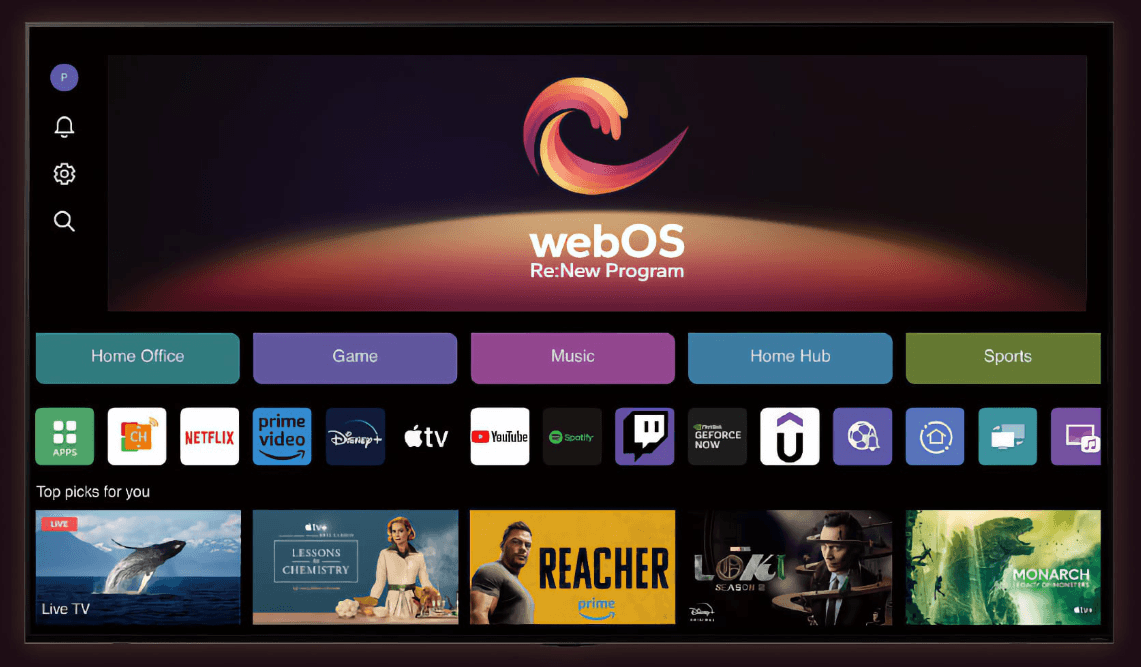
LG Electronics is finally bringing the webOS 26 platform to older TV models, as part of a 2023 commitment to provide regular software updates for four years after they’re purchased by consumers.
The webOS 26 platform debuted on this year’s LG OLED, Micro RGB and NanoCell LCD TVs, and is now being rolled out to models dating from 2025, 2024, 2023 and 2022.
LG told the German language Catchy’s Blog that the rollout is beginning with the LG G5 OLED TV that launched last year. LG rolled out webOS 25 to its older TVs in September 2025, so it has managed to begin the webOS 26 rollout a little sooner.
With webOS 26, users should notice that the interface is much faster than before, and there are some interesting new features too, such as a revamped Home Hub with Homey integration, new AI capabilities such as AI image generation for the Gallery feature, and enhanced AI search. There’s also a new child mode. On the other hand, some features have been removed, including the ColourSpace and bscpylgtv calibration options. webOS 26 also does not support 360-degree virtual reality in the web browser, like webOS 25 did.
That may upset some people, but it’s unlikely to bother most seeing as how those features are pretty marginal and don’t see much use by regular folks. In any case, the update is coming so LG TV owners will have to live with it. When it comes to LG’s software updates, it usually always begins with the G series and is then followed by the C-series OLED models, before its higher-end LCD models and B-series OLED TVs get it later. LG told Catchy’s Blog that the rollout will take some time to finish, so while 2025 TV owners will get it imminently, those with older TVs may have to wait until later this year, or possibly even early 2027.
While most people should have automatic updates enabled and receive the upgrade as soon as it’s available, users also have the option to check their TV’s update menu or the local LG support page. The firmware to look for is version 43.21.71, and the G5 version can be downloaded onto a USB stick and installed on the TV manually if you haven’t yet received it and want to jump the queue. You’ll need 2GB of storage space available. But be warned that once webOS 26 is installed, there’s no option to revert back to webOS 25.
