Top
Tweet
Share

KDL32D3000 Motionflow Video

By Vincent Teoh • Thursday, 14 June 2007, 4:58 pm BST 

Motion Enhancer on Sony KDL32D3000

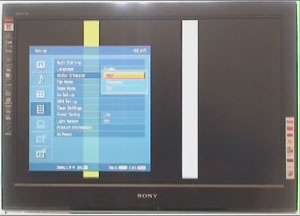
Captured 3 separate video clips of the Sony Bravia KDL32D3000 LCD TV with the [Motion Enhancer] set to “Off“, “Standard” and “High“, and mashed them into one. Watch this KDL32D3000 Motionflow video and see if you can notice the benefit.

15 Comments So Far... Add Yours

  1. Dave on 14 June 2007 7:02 pm

    Won`t work for me :-(

  2. Mike on 14 June 2007 10:42 pm

    LOL I cannot tell the difference between all three! I guess I don’t need MotionFlow!

  3. Lars on 15 June 2007 11:01 am

    You should pause the video, click into the timeline and move forward with the left arrow button on your keyboard. If now you compare the top and bottom video, you should see some “ghost lines” around the white bar at the top video. This effect is almost invisible in the bottom video where the Motion Enhancer is set to “high”. You can also see this effect around the yellow bars, too.

    The overall picture will strongly benefit from this.

  4. dotslasher on 16 June 2007 10:09 am

    i cant play the video in Internet explorer or Firefox, in FF it crashes and in IE it just refuses to play.

  5. Phantoma on 16 June 2007 1:49 pm

    All three look blurry to me.
    What does that mean, I should stick to plasma?

    dotslasher, I’m using FF and it works.

  6. Graham on 16 June 2007 2:03 pm

    I guess Mike and a few others must be blind, because I can clearly see the difference – much less ghosting on the bottom one.

  7. Vincent on 17 June 2007 3:36 am

    Because of the compression of the video, and depending on the state of your own monitor, it may be difficult to detect the difference (which was much more obvious in real life). Try pausing the video towards the end – you should see more ghosting on the white bars in the top clip (Motion Enhancer Off).

  8. Dimi on 17 June 2007 11:01 am

    Guys, I have bought the D3000 myself a few days ago and I can tell you that there is *huge* benefit using the motionflow. These video cannot show much due to the compression involved but still you can see some difference only if you pause it. For the nonbelievers go to a showroom and check it out with your own eyes. D3000 is a top-notch telly, probably the best around in 32 inches now.

  9. Darren on 18 June 2007 3:00 pm

    I got the 32D3000 on Saturday and it’s an amazing TV, the best I’ve ever seen. It was the review on this site that persuaded me to buy it so thanks for that. As for MotionFlow, I’ve been using it on the default Standard setting and haven’t noticed any blurring at all even with fast-moving 60 fps games on the PS3 and Xbox 360.

    The D3000 is probably the most feature-packed 32″ HDTV you can get right now and although very expensive, it’s worth every penny in my opinion. Even SD sources, a weak area with most LCDS, look great on this TV.

  10. Mike on 20 June 2007 3:41 pm

    After I posted, I saw the bit about pausing. I can see the difference with the pausing but not in motion.

    Still, I have a 32D3000 coming on Friday and hope its all lovely. :)

  11. Pete on 20 June 2007 4:26 pm

    Is the Motionflow 100Hz feature still available if the TV is used with a PC at 1360 * 768 1:1 pixel mapped over HDMI?

  12. Graham on 20 June 2007 4:57 pm

    Had a demo of one of these sets with a PS3.

    The motion flow feature does improve motion handling over standard LCD’s, but during fast camera pans on games detail loss/softness/blur does still occur to some degree. (less noticeable with films/tv)

    Definetly an improvement over non-100hz LCD’s, but nowhere near CRT motion handling IMO.

  13. Tushar on 26 February 2008 7:48 am

    The Difference is quite apparent.. if u see the Top picture is Blurry & the image is laggy due to low Refresh Rate

    The bottom picture is crisp, smooth with no laggyness or Ghosting.

  14. Tushar on 26 February 2008 7:51 am

    Try pausing it ..u ll see that the Ghosting…. i.e. the Bar will become Blur & Split

  15. Gamer on 28 February 2008 9:34 pm

    You can definitely see ghosting in the top one, a little tiny bit in the middle, and next to none in the bottom. I’m having trouble deciding if it’s worth the extra 500 bucks to get motionflow (KDL52wl130 vs KDL52wl135). It certainly is an impressive technology.

Add your comment here


Bottom